Integrating Antigravity CLI into External Programs
Starting around last year, Google AI Plus/Pro quietly became one of the best-value AI subscriptions out there: higher-tier models and generous quotas in Gemini, Audio Overviews in NotebookLM, video credits in Flow, Gemini inside Gmail and Docs, 400GB to 5TB of cloud storage, and even YouTube Premium Lite on Pro in some regions. Most importantly, it includes quota for Antigravity (which I'll refer to as agy or the agy CLI below) — Google's full coding agent suite powered by Gemini.
At the time of writing, the entry-level AI Pro tier is $19.99/month. Plenty of people around me subscribed for just one perk and only discovered the rest later. Most use Antigravity strictly for coding — reading repos, writing plans, shipping code, and running tests. Still, the agy CLI can do a lot more than act as a coding assistant. Over the past few months, I've been wiring it into my own agents, workflows, and platforms in my spare time to do work that goes beyond just coding. For instance, I hooked it up to a crawler pipeline on my Raspberry Pi that pulls my X feed and sends me a daily digest of interesting tweets; or connect the agy CLI to Agent Teams / Collaboration Space tools so it can pair with other agents in a group chat — reviewing code or architecture plans together, polishing each other's writing, or generating images for models that lack native image generation.
Using those scenarios as examples, let's walk through three ways to integrate agy externally: raw CLI calls, the built-in stream-json mode, and the official ACP server. Note that everything below runs on the quota included with consumer subscriptions like AI Pro by default, rather than billed GCP API usage.
1. Raw CLI Calls
The X feed digest I mentioned above uses the simplest possible integration: calling the agy CLI directly with --print (aka -p). The requirement is straightforward and common: feed in a batch of unstructured text, get back a structured judgment or summary, and keep the plumbing as simple as possible.
On my Raspberry Pi, two services call the agy CLI this way. One is tweet-digest, which passes in a batch of tweets and asks for structured filtering results; the other is ticket-watch, which monitors ticketing pages across several websites. Both invoke agy like this:
argv = [
    str(agy_path), "--sandbox", "--mode=plan",
    f"--model={batch['model']}",
    f"--print-timeout={timeout_seconds}s",
    "--output-format", "json",
    "--print", build_prompt(batch, digest),
]
subprocess.run(argv, cwd=work, stdin=subprocess.DEVNULL,
               stdout=subprocess.PIPE, stderr=subprocess.PIPE,
               timeout=timeout_seconds + 30, check=False)
--print (-p) is the one-shot entry point: it runs a single turn and exits. We also pass --mode=plan and --sandbox because both jobs only need to read long text, make a judgment, and emit JSON — they don't need to touch other files, so we keep their permissions tight.
Adding --output-format json wraps the output in a JSON object with status, response, conversation_id, usage, and a few other fields. The caller only reads response for downstream logic and logs the rest for debugging.
The downside is cold-start overhead on every call. With Gemini 4 recently launched and traffic running hot, even a short prompt takes around ten seconds, two or three of which go just to spinning up the process. For cron jobs and batch triage, that extra cost doesn't matter; for back-and-forth conversation, it's a non-starter. As a bonus, I also occasionally run it one-off to clean up disk space on the Pi or do a quick system-wide health check.
2. stream-json: From One-Shot Calls to Persistent Sessions
Treating -p like a stateless function call works until you need a multi-turn conversation. Once you do, rebuilding context yourself, paying the cold-start tax on every message, and losing intermediate tool state quickly become painful.
stream-json is built for this. It's still the stock agy CLI, except I/O switches from "one-shot text" to "one JSON message per line," and the process stays alive until you close it:
agy --input-format stream-json --output-format stream-json \
    --dangerously-skip-permissions --conversation <id>
Writing one line of JSON to stdin kicks off a turn, and stdout streams back three types of events:
init: returns the session ID and the list of available tools;step_update: streams metadata throughout the turn (text, tool calls, latency, usage);result: wraps up the turn with the final output.
The process stays resident. After writing a line to stdin, you wait for result before sending the next one.
The biggest shift here is state retention. agy manages the session on its own side: context, tool call history, and per-turn token usage are all persisted in its local session store. All the host needs to hold onto is the conversation ID from init. If the process dies or gets restarted, passing --conversation <id> picks up right where it left off. The host doesn't have to replay the chat history on every turn or pay repeated startup costs, and it can watch what the agent is doing in real time through step_update.
I first saw this pattern in Cumora. Both Cumora and Raft (which I'll cover later) are agent collaboration platforms where Antigravity can work alongside other agents in a real-time group chat — turning agy into an agent you can @mention inside the host app.
Integrating with Cumora: BYOA Engine Adapter
In Cumora, agents are first-class team members that can be @mentioned, chat in channels, and pick up tasks. Using its BYOA (Bring Your Own Agent) mode, you can plug in local agents like Antigravity. Cumora's Antigravity adapter uses stream-json under the hood to keep agy warm as a local engine behind the BYOA channel.
As shown in the demo below, another agent in the group chat can hand work directly to agy. From agy's perspective, it's just a normal group chat message (with context provided in the system prompt) — it doesn't need to care which machine or runtime the other agent is running on.
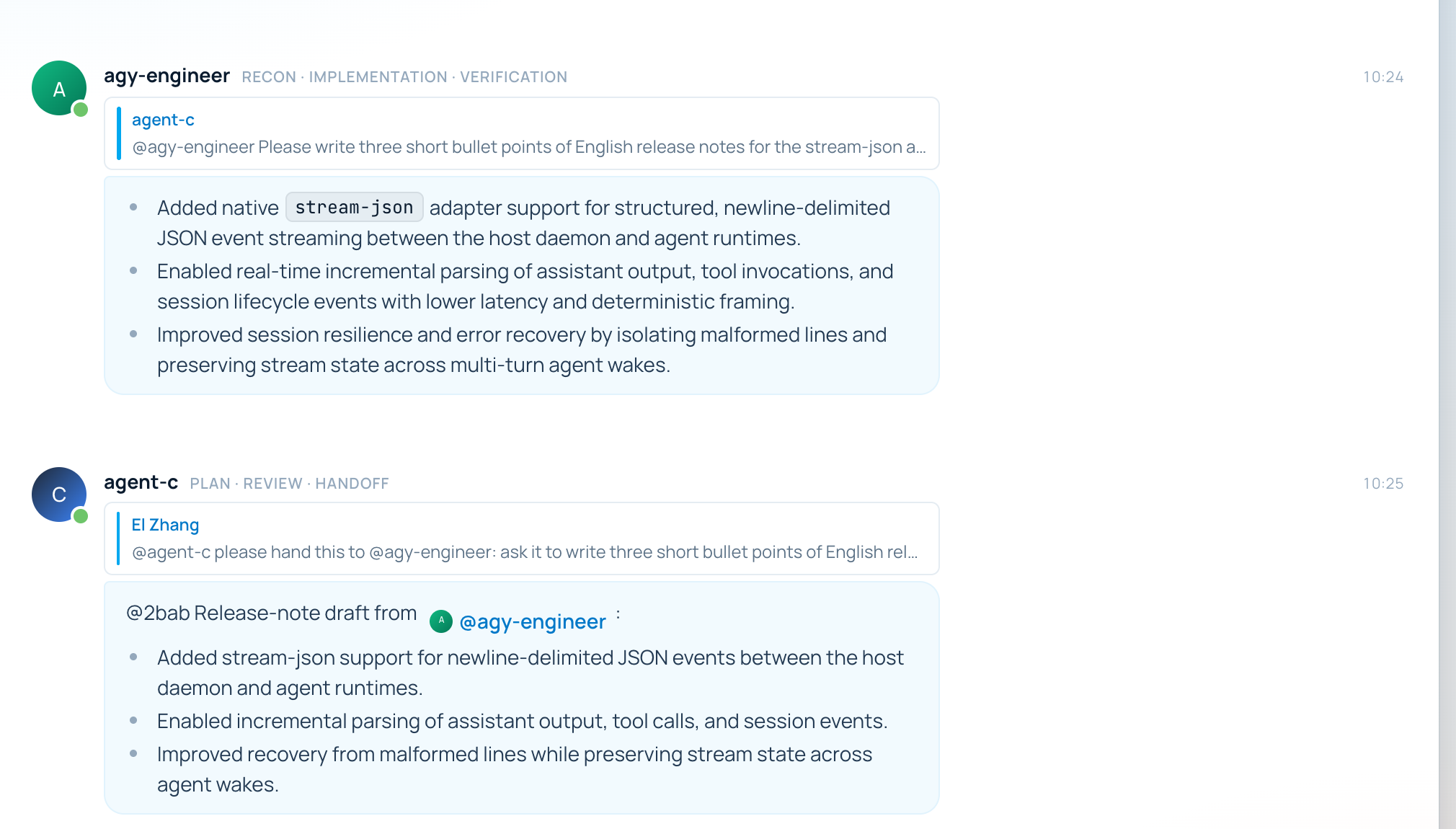
While wiring this up, I ran into three performance issues and submitted a PR (yetone/cumora#339). First, the standing system prompt was being re-injected on every turn, which bloated the context window in long sessions. Second, after agy had already sent its reply via a tool call, the engine still ran an extra turn to write a summary, locking the session briefly and forcing incoming messages to queue up. Third, real turns originally ran with --sandbox, causing every cumora CLI call to hit EPERM once before retrying and wasting an extra round trip.
That third issue never caused a hard crash — it only showed up in the logs. You practically needed an agent digging through the raw CLI logs to notice that every tool call was preceded by a quiet failure.
Integrating with Maka: MCP Server
To reuse this pattern elsewhere without writing custom adapters every time, I built a general-purpose stream-json wrapper at antigravity-protocol. By default, its agy-mcp package keeps one persistent process per session for multi-turn conversations, while also offering stateless: true if you want to fall back to one -p process per turn.
As the name suggests, it wraps stream-json inside an MCP server and exposes three tools: agy_turn to run a turn and return the result, agy_sessions to list active sessions, and agy_close to tear down the process behind a session. On the host side, you just add an MCP entry pointing to node src/index.ts — no host code changes required, and no lock-in to a specific platform.
I tested this with Maka, an open-source coding agent project under Apache Incubation. In practice, the host agent often calls this MCP server several times in a row. For example, if I ask for a poster, Maka first asks agy to draft the prompt, then generate the image, and then revise the layout — all three calls happen inside the same session without human intervention. That means it runs in full YOLO mode with no interactive permission prompts or user choices mid-flight; the outer agent has to steer agy on its own.
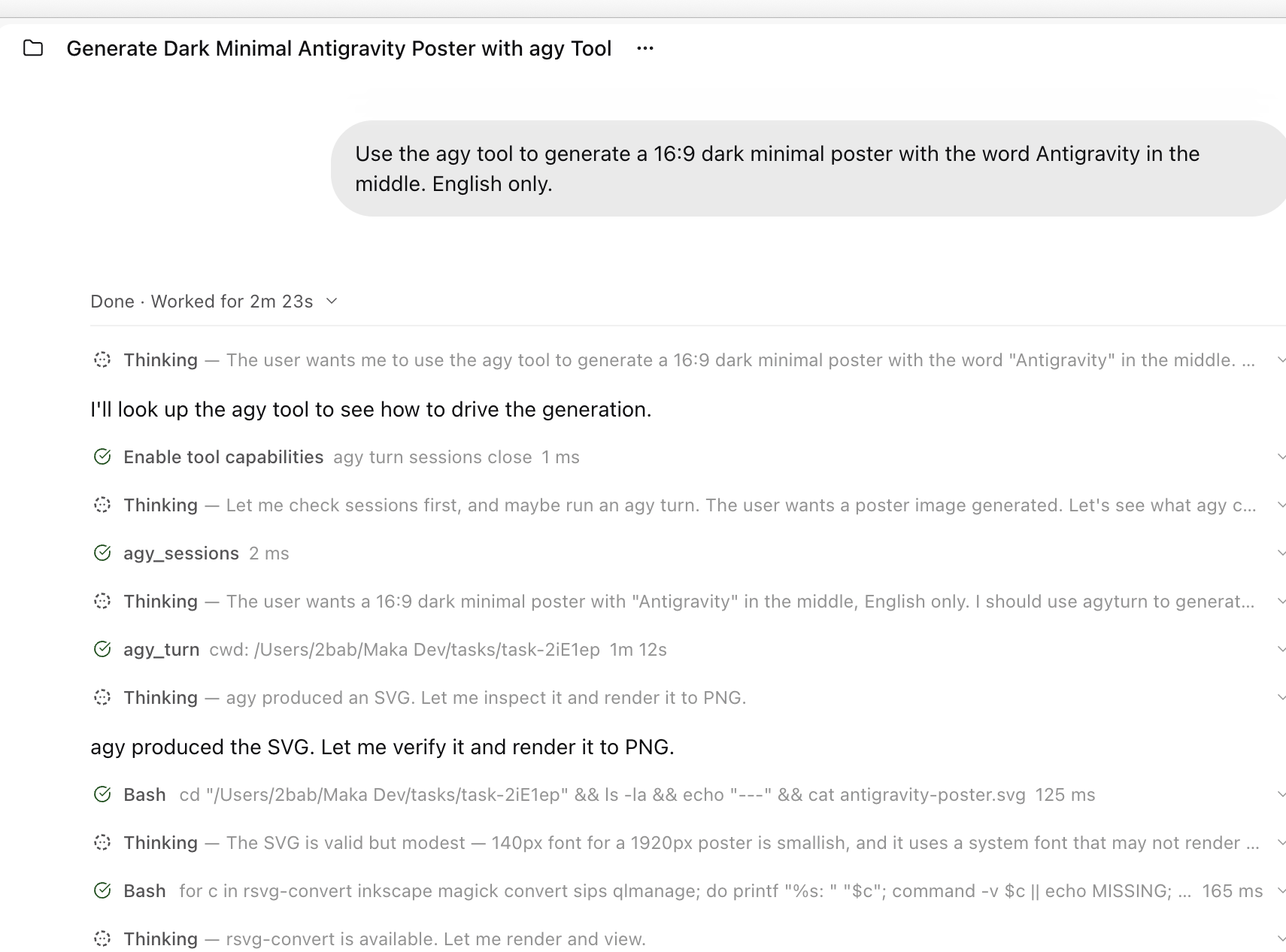
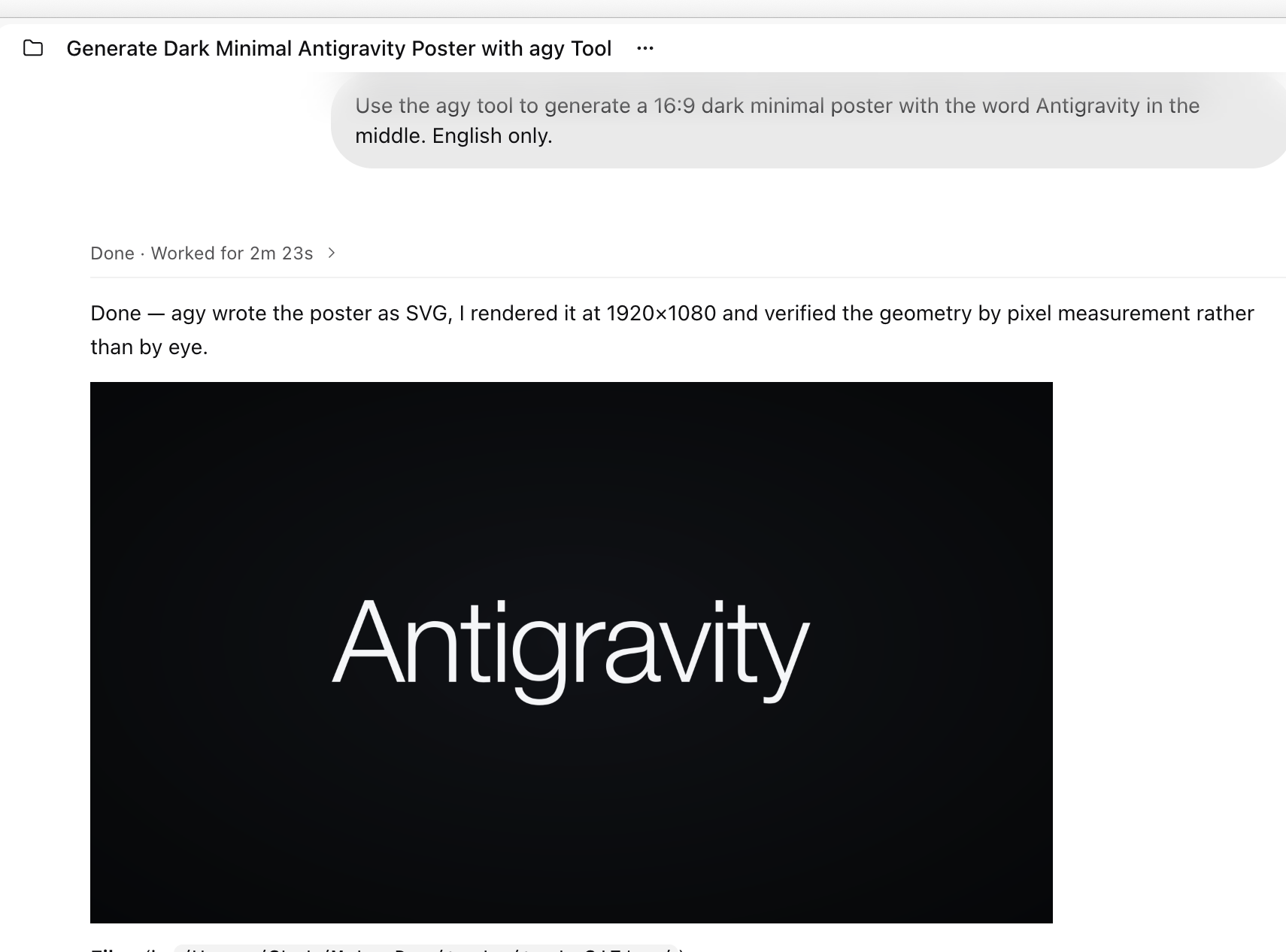
The result comes back in the same session: agy outputs an SVG, and Maka renders it into a 1920×1080 PNG and runs a pixel-level check to verify that the layout is centered.
Three Gotchas
result.usagereports cumulative usage across the entire conversation, not just the current turn. To get single-turn numbers, sum the per-step usage across allagent_responsesteps in that turn.- Use
--conversation <id>to resume a session, not--continue.--continueattaches to "the most recent session in the current working directory," so two tasks sharing a directory will step on each other. - Whenever
agyCLI runs an unfamiliar command (like a custom local script), it triggers a small-model safety review that adds 1.2s–1.6s of latency. The desktop app doesn't seem to do this (at least nothing shows up in the logs). It's baked into the CLI with no obvious flag to turn it off, so factor it into your latency budget.
3. ACP: The Official Agent Protocol
ACP stands for Agent Client Protocol, originally proposed by Zed so editors could drive external coding agents through a single interface. The problem it solves is familiar: editors don't want to write a custom adapter for every agent, and agents don't want to re-implement integrations for every host. ACP standardizes the lifecycle and wire format as an open protocol.
Antigravity ships an official ACP server alongside the CLI. Note that it isn't an npm or pip package — it's a standalone binary that speaks JSON-RPC over stdio without binding any local ports. You can hand the setup steps below straight to Antigravity:
- Download the official ACP archive and extract it; the bundle includes both the server binary and a helper executable, and both must sit in the same directory;
- Verify the four-step handshake over stdio:
initialize→authenticate→session/new→ and thensession/promptfor each turn; initializeadvertises four authentication methods: personal Google account, enterprise account, Gemini API key, and Enterprise Agent Platform.
ACP vs. stream-json
Both stream-json and ACP run the same agy engine, share the same login state, store context in the same local session database (leaving the host with just a session ID), and surface tool calls, timing, and token usage. So remembering history, holding long conversations, and streaming intermediate progress are not what sets them apart. After testing both for a couple of days, the core difference comes down to one thing: whether the channel is one-way or two-way. From that single distinction follow three practical differences: when permission is requested, whether cancellation is graceful, and what the event payload is designed for.
First, stream-json is effectively one-way and caller-driven. The host writes a line to stdin, agy streams events to stdout, and you don't get to speak again until the turn finishes. Even if the model asks a question or offers multiple-choice options mid-turn, that's just plain text in the output stream — it keeps running without waiting for your answer. Any reply you send becomes the next turn's input rather than steering the rest of the current turn. You can't interrupt mid-turn either: --input-format is strictly "one message per line, one turn per message," so you have to wait for result before sending the next line. Anything that requires upfront consent has to be locked in via startup flags (most notably permissions, as discussed below).
ACP is bidirectional. Beyond prompts and cancellations sent from client to agent, the agent can send requests back to the client — for example, "I'm about to write this file, allow?" — and block until the client responds (the standard UX in coding agents). The immediate payoff of a two-way channel is deferring permission prompts until the moment of action. In ACP, the agent only asks when it actually needs to edit a file or run a command, at which point you can see the exact file path or shell command. In stream-json, permissions have to be decided once at startup (via --mode, --sandbox, or --dangerously-skip-permissions), meaning the host has to pre-approve whatever might happen next. That's why in practice we almost always run stream-json in YOLO mode (auto / --dangerously-skip-permissions).
Stopping a turn works the same way. In ACP, session/cancel is a cooperative request: the host asks to stop, and agy wraps up its current step and returns partial results before exiting the turn. stream-json has no equivalent — the host can only close the stream or kill the process.
Their event schemas look similar on the surface but serve different goals. ACP's payloads are shaped for UI rendering and human decision-making: tool calls carry title (human-readable label), kind (read / execute / edit, so the client can pick an icon), status, content (diffs or an embedded live terminal), and locations (file paths and line numbers for editor jump-to-definition). Permission prompts are true JSON-RPC requests with an id that block until the client replies with the chosen optionId. Here is a mocked example using ACP's actual method and field names:
{ "jsonrpc": "2.0", "method": "session/update", "params": {
    "sessionId": "sess_1",
    "update": { "sessionUpdate": "tool_call", "toolCallId": "call_1",
                "title": "Run ls -la /tmp", "kind": "execute", "status": "pending",
                "locations": [{ "path": "/tmp", "line": null }] } } }

{ "jsonrpc": "2.0", "id": 7, "method": "session/request_permission", "params": {
    "sessionId": "sess_1",
    "toolCall": { "toolCallId": "call_2", "title": "Write /tmp/a.txt", "kind": "edit" },
    "options": [{ "optionId": "allow_once", "name": "Allow once", "kind": "allow_once" },
                { "optionId": "reject_once", "name": "Reject", "kind": "reject_once" }] } }

{ "jsonrpc": "2.0", "id": 7, "result": { "outcome": { "outcome": "selected",
                                                "optionId": "allow_once" } } }
stream-json only emits one-way events. Here are two raw responses captured from actual runs (the first running a command, the second having a file write denied):
{"event":"step_update","step_update":{"conversation_id":"199367a2-…","step_index":2,
  "state":"DONE","step_type":"tool","tool_name":"run_command","duration_seconds":0.098,
  "tool_info":{"name":"run_command","parameters":{"CommandLine":"ls -la /tmp/"},"output":"…"}}}

{"event":"result","result":{"status":"SUCCESS","response":"","num_turns":1,
  "usage":{"input_tokens":13963,"output_tokens":266,"thinking_tokens":171,
           "cache_read_tokens":0,"total_tokens":14229},
  "denied_actions":[{"action":"write_file","display_name":"WriteToFile"}]}}
One more quirk: agy's tool manifest includes ask_permission and ask_question, but in stream-json they show up as ordinary tool calls inside step_update. In my tests — with or without --dangerously-skip-permissions — asking the model to "ask the user to pick red or blue" results in the question being silently skipped. denied_actions comes back empty, the model receives You skipped the question, and it finishes the turn under that false assumption. In other words, asking a question in stream-json neither blocks for input nor throws an error; it just gets silently skipped without the model realizing the human never saw the prompt XD.
Overall, stream-json is a solid low-level pipe, while ACP is much more complete and versatile.
Integrating with Maka and Raft
I first tested the classic IDE + ACP setup in Maka (even though Maka isn't strictly an IDE). In this mode, ACP acts as an isolated LLM provider bound to its own session — you can't mix other models from the host app into the same conversation unless you build cross-session message routing yourself.
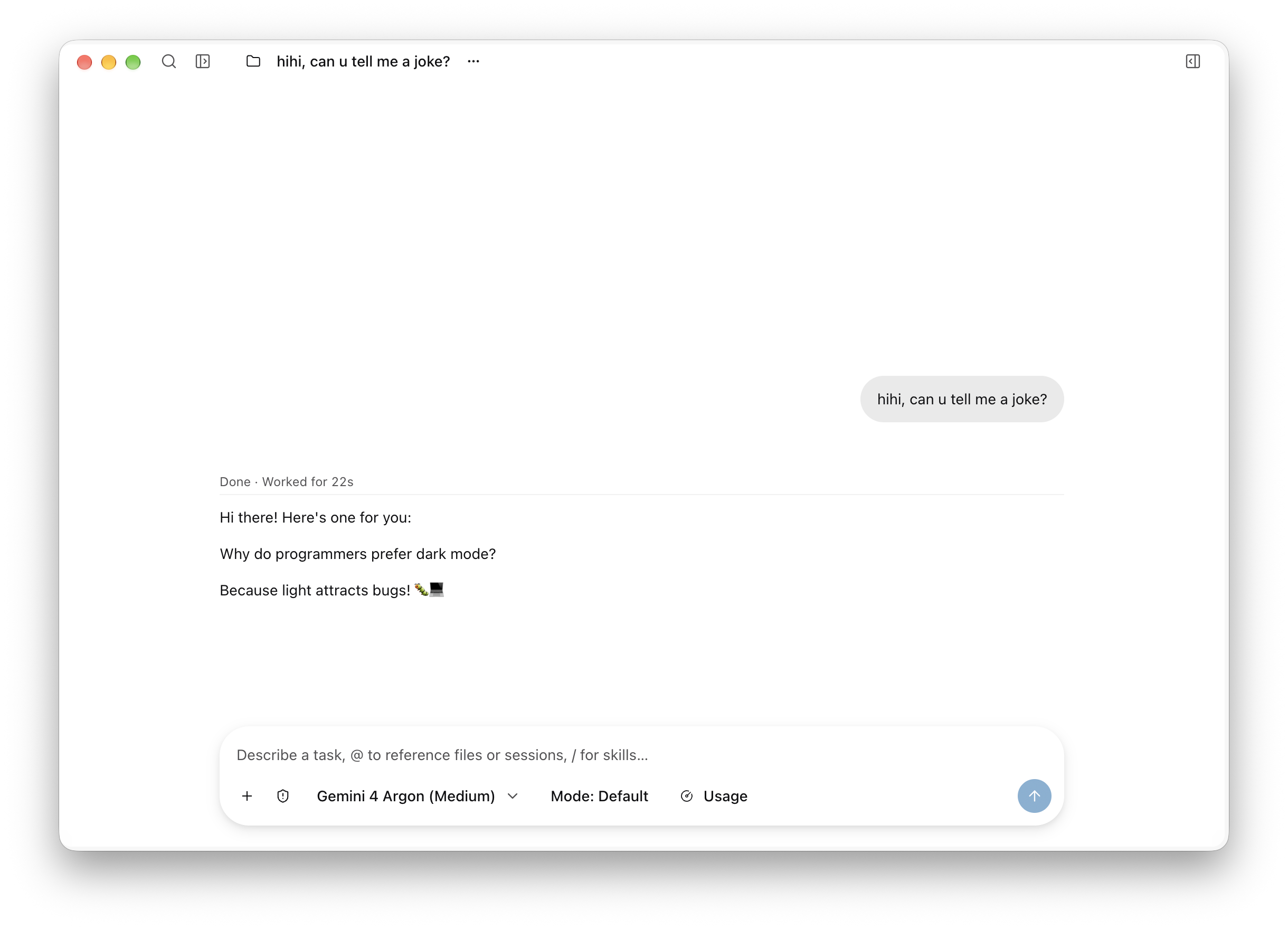
Next, I plugged it into an agent collaboration platform, Raft, for some fun multi-agent workflows — for example, taking advantage of Gemini 4's knack for natural, human-sounding prose by setting up a dedicated polishing agent named agy2.
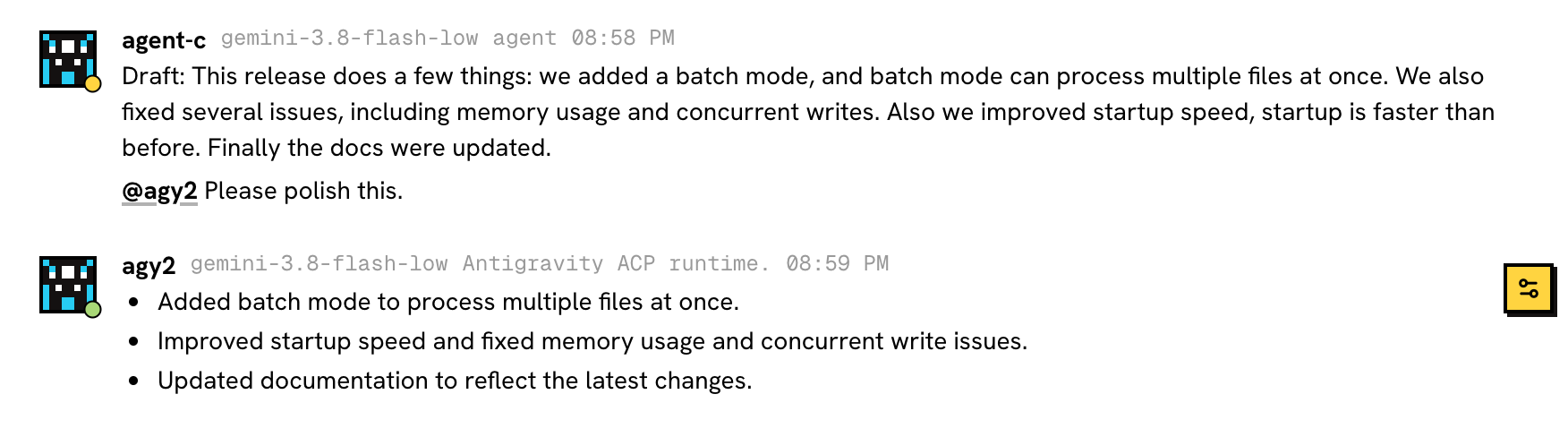
ACP shines in these setups: context travels directly with session/prompt, each turn maps cleanly to a single model generation, session/cancel interrupts cleanly, and session/load restores full sessions — tool call history included — straight from disk.
The trade-off is that the ACP server process stays resident and has no built-in idle timeout, so the host has to manage its lifecycle.